Education and colleges
Issue course, semester, and programme certificates for a whole cohort from the registrar’s spreadsheet.
Batch certificate generation
Design a reusable template, import recipients from CSV or Excel, generate personalised certificates, and deliver them by email — with built-in QR verification.
Start free · 5 persisted certificates · No card required
How it works
Every stage below maps to a feature that ships today — nothing here is a roadmap item.
Lay out one reusable certificate — text, logos, signatures, seals, and the verification field.
Upload a CSV or Excel file. Serenity reads the header row and lists every column.
Drop a column onto the design to bind it to a field, then preview real rows.
Produce one personalised, print-ready PDF per row, downloaded together as a ZIP archive.
Download the batch, or email a certificate to its recipient after an ownership check.
Every certificate carries a permanent verification URL and matching QR code.
Certificate editor
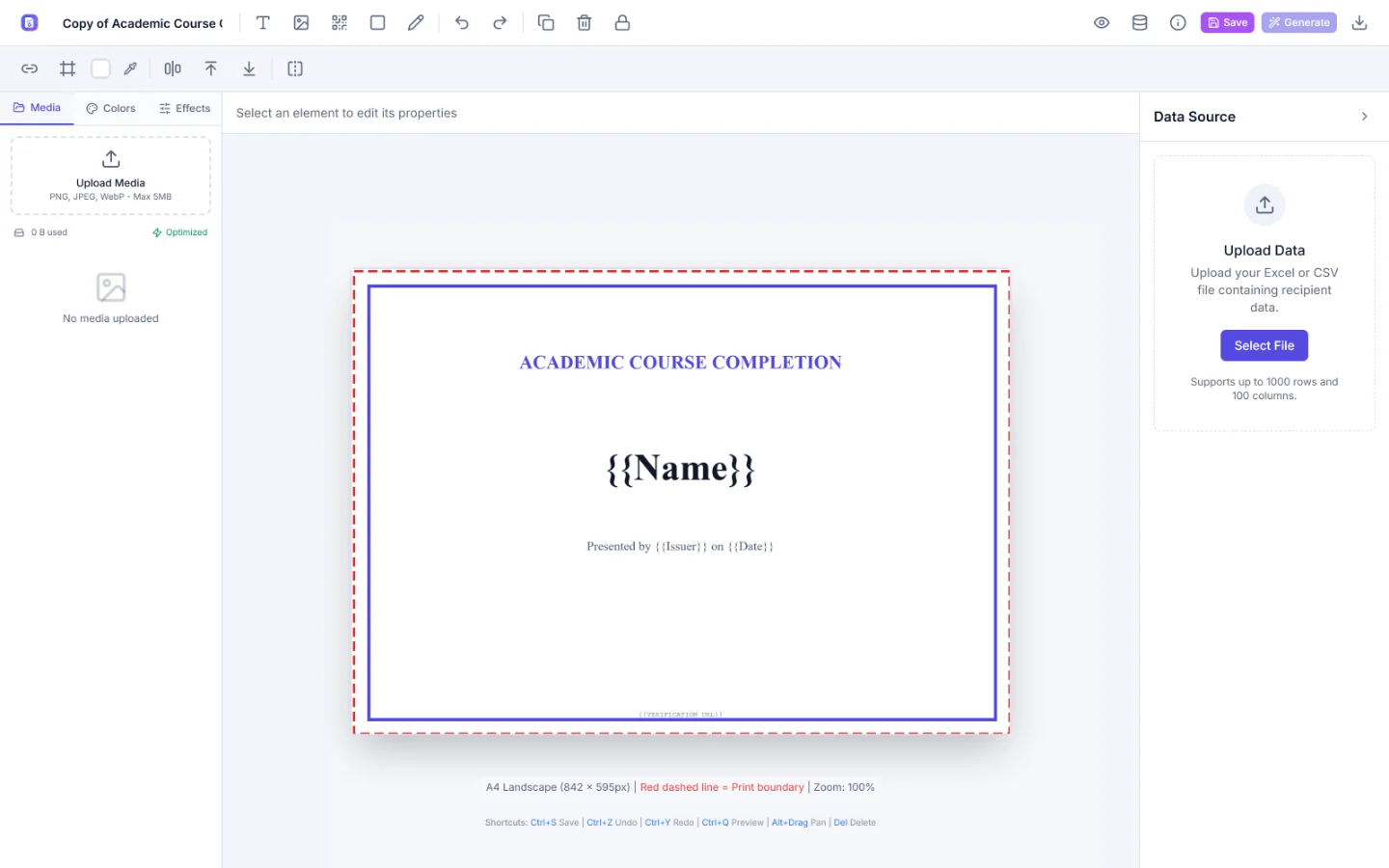
Compose the layout once with text, imported logos, signatures, and seals. Print boundaries, alignment guides, and an A4 landscape frame keep the design production-ready.
Bulk personalisation
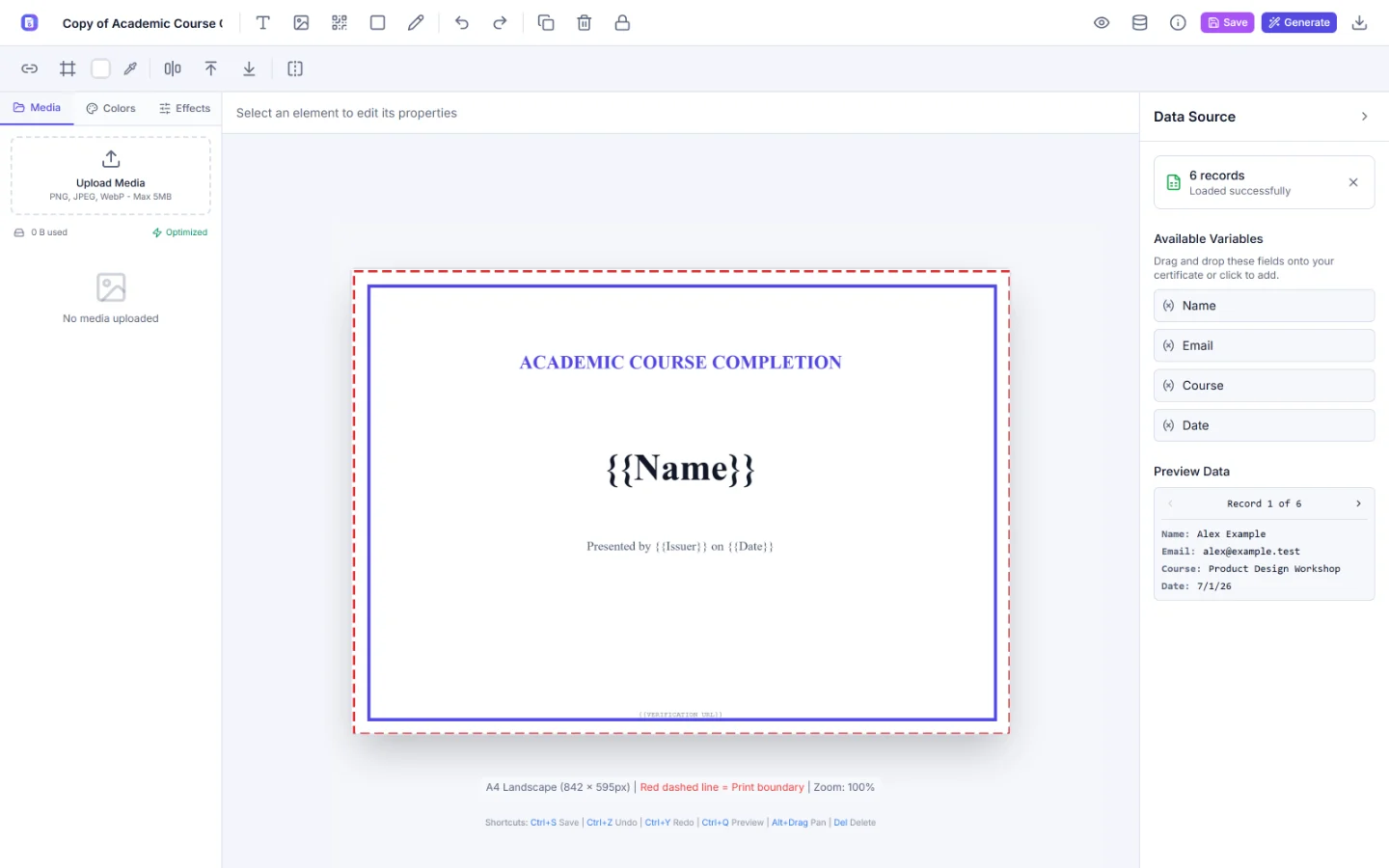
Upload CSV, XLSX, XLS, or ODS. Serenity reads the header row, lists every column as a draggable variable, and previews any row against the live design before a single certificate is written.
Delivery
Download the whole batch, or email a generated certificate to its recipient. Serenity checks that you own the certificate and that your own address is verified first, and sending is rate-limited per day. Bulk email is disabled by default.
Verification
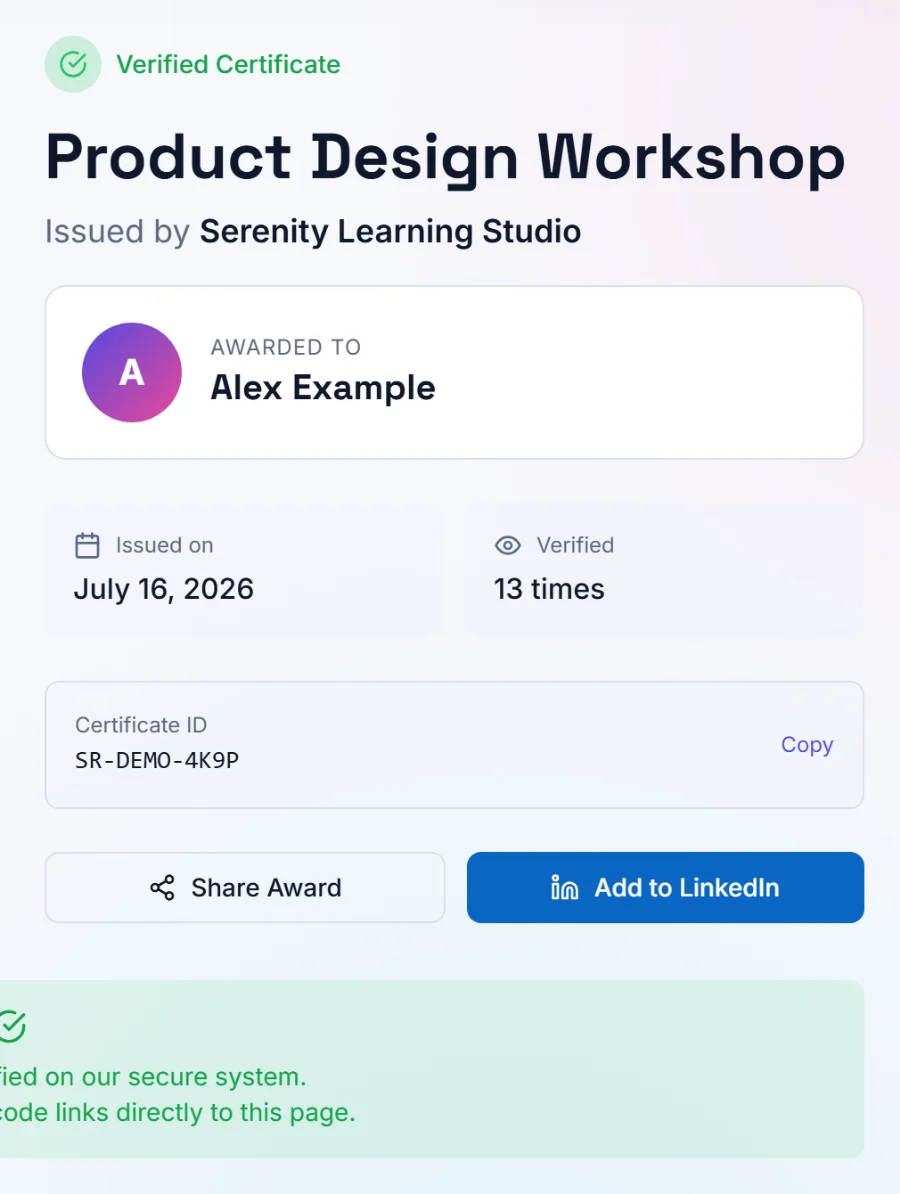
Each generated certificate carries a permanent verification URL and matching QR code. Opening it loads a public page that proves the certificate is genuine without leaking anything about the recipient.
Firestore and Storage rules deny client access by default. Every private read and write is authenticated server-side and scoped to the account that owns the record.
Template library
Published templates from the Serenity library, ready to open in the editor and rename for your programme.

Template-1
Certificate

Template-2
Certificate

Template-4
Certificate

Template-3
Certificate

Academic Course Completion
Education

Workshop Participation
Workshop
6 templates
Use cases
If recognition currently means editing the same file once per person, this is the part Serenity replaces.
Issue course, semester, and programme certificates for a whole cohort from the registrar’s spreadsheet.
Turn a participant list into participation and speaker certificates once the event has closed.
Recognise internal training, compliance completion, and long-service milestones from one template.
Reuse one branded design across every intake and give learners a link they can share with employers.
Thank volunteers and contributors with certificates that carry proof anyone can check.
Create a free account and take one certificate all the way from a blank canvas to a verification page.
Pricing
The free plan covers the complete workflow, from design through verification, with a server-enforced allowance. Pro starts at $20 per month and is arranged through a request — there is no self-serve checkout yet.
Available now
$0no card required
Talk to us
$20per month, starting point
Usage limits and plan changes stay server-controlled. Nothing on this page can grant Pro access or reset a certificate count.
FAQ
Serenity is a certificate generator for designing, personalising, generating, emailing, and verifying certificates in bulk. You build one reusable template, connect a spreadsheet of recipients, and generate a personalised certificate for every row — each with a permanent verification URL and QR code.
Yes. Upload a CSV, XLSX, XLS, or ODS file and Serenity lists every column from the header row as a variable. Drop a variable onto the canvas to bind it to a field, then step through the rows to preview the real values before generating.
Every generated certificate is a print-ready PDF (300 DPI), and the whole batch downloads as a single ZIP archive. A design can also be exported on its own as a high-resolution PNG from the editor.
Yes. A generated certificate can be emailed to its recipient after Serenity confirms you own that certificate and your own address is verified. Sending is rate-limited per day, and the bulk email endpoint is disabled by default and returns 501 until an operator enables it.
Every certificate can carry a permanent verification URL and a matching QR code. Scanning or opening it loads a public verification page showing the recipient name, certificate title, issuer, issue date, and certificate ID. Recipient email addresses, spreadsheet rows, owner identifiers, and template identifiers are never exposed.
The free plan includes 5 persisted certificates in total, with no card required, and covers the whole workflow from design to verification. Pro starts at $20 per month and is arranged through a request — there is no self-serve checkout.
Every private read and write is authenticated server-side and scoped to the signed-in account. Firestore and Storage rules deny client access by default, so certificates, templates, and media stay with the account that created them.
Design, personalise, deliver, and verify — all in one focused workflow.